
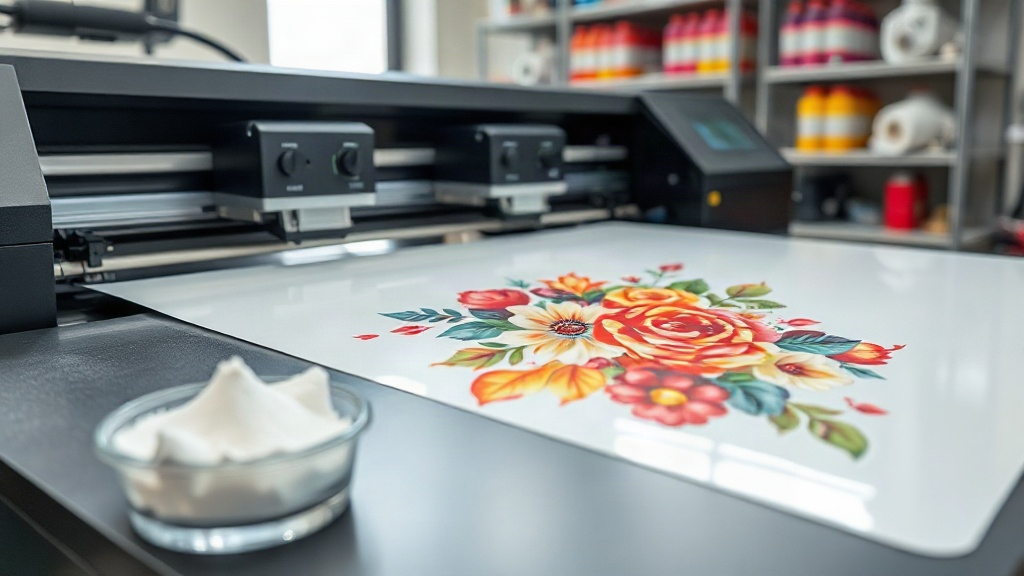
Imagine pressing a vibrant, full-color design onto a dark cotton t-shirt without any weeding, masking, or special pretreatment. That's the promise of DTF printing, a digital transfer technology that has taken the custom apparel world by storm. Unlike traditional screen printing or vinyl cutting, DTF (Direct to Film) lets you produce intricate, multi-colored designs in a single pass, on virtually any fabric. Whether you're a small business owner, a hobbyist, or a professional decorator, understanding DTF printing can open up a world of creative and profitable possibilities.
In this guide, we'll walk you through the entire DTF process, from designing your artwork to pressing the final transfer. We'll also share practical tips to avoid common pitfalls and ensure your prints look sharp and last wash after wash. By the end, you'll have the knowledge to start your own DTF projects with confidence.
What Exactly Is DTF Printing?
DTF printing is a method where your design is printed onto a special film, coated with a powdered adhesive, and then heat-pressed onto the fabric. The magic lies in the adhesive powder: it melts and bonds the ink to the material, creating a flexible, stretchable print that feels soft to the touch. Because the design is printed on a carrier film, you can transfer it to cotton, polyester, blends, and even tough-to-print fabrics like nylon and leather. This versatility is a game-changer for anyone who works with diverse garment types.
The process eliminates the need for color separation or multiple screens, making it ideal for short runs and one-off custom pieces. Plus, the color vibrancy rivals that of screen printing, and the detail can be as fine as a photograph. If you've ever struggled with vinyl cutting for complex logos, DTF will feel like a breath of fresh air.
The DTF Printing Process Step by Step
Getting a perfect DTF transfer involves several stages. Let's break it down.
1. Design Preparation
Start with a high-resolution image. DTF printers typically use CMYK plus white ink, so your file should be in RGB or CMYK color mode. Remember that the white ink layer acts as a base, so any transparent areas in your design will show the fabric underneath. For best results, use vector graphics or 300 DPI raster images. If your design has fine lines or small text, keep them at least 1 point thick to ensure crisp reproduction.
2. Printing onto Film
The printer lays down a layer of white ink first, followed by the color inks. This order is crucial: the white ink provides opacity, especially on dark garments, while the colors sit on top. The film is coated with a release agent that allows the ink to peel off cleanly later. You'll need a dedicated DTF printer or a converted inkjet printer with DTF inks and a film feeding system. Print in mirror mode if your design includes text, so it reads correctly after transfer.
3. Applying Adhesive Powder
While the ink is still wet, sprinkle the thermoplastic adhesive powder evenly over the printed area. Then shake off the excess. The powder sticks only to the ink. Next, cure the film in an oven or with a heat press at around 320°F (160°C) for 2-3 minutes. This melts the powder into a smooth, clear layer that will bond with the fabric. Proper curing is essential; undercured powder leads to poor adhesion and washing off.
4. Heat Pressing the Transfer
Set your heat press to 320°F (160°C) with medium pressure. Place the transfer face-down onto the garment, cover with a protective sheet, and press for 10-15 seconds. Let it cool completely before peeling the film. You can peel it either hot or cold, depending on the film type, but cold peel generally gives a smoother finish. After peeling, press again for 5 seconds to fully embed the print into the fabric.
Materials and Equipment You'll Need
Before diving in, gather the right tools. Here's a checklist:
- DTF printer (or converted printer) with DTF inks
- DTF transfer film (PET film)
- Thermoplastic adhesive powder
- Heat press or curing oven
- Heat-resistant tape and protective sheets
- Design software (e.g., Photoshop, Illustrator)
Choosing quality supplies matters. Cheap film can cause ink smearing or poor release, while low-grade powder may not adhere well. Invest in reputable brands to save yourself headaches.
Why DTF Is Gaining Popularity
The rise of DTF printing isn't just hype. It solves several pain points that decorators face daily. First, no weeding: unlike vinyl, you don't have to cut and remove excess material. Second, no color limitations: you can print gradients, photorealistic images, and fine details with ease. Third, fabric flexibility: it works on cotton, polyester, blends, and even treated nylon. Fourth, cost-effectiveness for short runs: there's no minimum order, and you can print one-offs without setup fees. Finally, durability: when done correctly, DTF prints withstand dozens of washes without cracking or fading.
These benefits make DTF a favorite for custom t-shirts, hoodies, tote bags, and promotional items. Small businesses love it because they can offer personalized products without investing in screen printing equipment.
Common Mistakes and How to Avoid Them
Even seasoned pros run into issues. Here are the most frequent ones and their fixes.
Insufficient Powder Application
If you don't apply enough powder, the print may peel off after washing. Ensure the entire wet ink area is covered with a uniform layer. Use a powder shaker for even distribution, and always shake off excess gently.
Wrong Press Settings
Too much pressure can squash the ink, causing a blurry look. Too little pressure leads to poor adhesion. Aim for medium pressure and check your press's gauge. Temperature and time also vary by film brand, so follow the manufacturer's recommendations.
Peeling Too Early or Too Late
Hot peel films require immediate peeling, while cold peel films need to cool down. Peeling at the wrong time can tear the design or leave residue. Test a small corner first to determine the right moment.
Ignoring Fabric Type
While DTF works on many fabrics, some require special attention. For stretchy fabrics like spandex, use a stretchable DTF film and powder. For heat-sensitive materials, lower the temperature and increase press time.
Applications of DTF Printing
Beyond t-shirts, DTF transfers can be used on:
- Hoodies and sweatshirts
- Denim jackets and jeans
- Canvas bags and backpacks
- Sports jerseys and activewear
- Corporate uniforms and promotional gear
- Home textiles like pillowcases and aprons
The possibilities are limited only by your imagination. Because the transfer is thin and flexible, it moves with the fabric, making it comfortable for wearables.
Frequently Asked Questions
How long does a DTF print last?
With proper application and care, a DTF print can last 50+ washes. Always wash inside out in cold water and avoid bleach or fabric softeners. Tumble dry low or hang dry.
Can I use DTF on 100% polyester?
Yes, DTF works well on polyester. However, polyester requires lower pressing temperatures (around 280°F) to prevent dye migration. Use a low-temperature DTF powder and film for best results.
Do I need a special printer for DTF?
You can buy a dedicated DTF printer or convert an Epson printer with DTF inks and a film feed system. Dedicated printers are more reliable but cost more. For beginners, a converted printer is a budget-friendly option.
What is the difference between DTF and DTG?
DTF prints on a film and transfers to fabric, while DTG (Direct to Garment) prints directly onto the garment. DTF works on more fabric types and doesn't require pretreatment, but DTG can be faster for large orders on cotton.
How do I store DTF transfers?
Store unused transfers in a cool, dry place away from direct sunlight. Keep them flat or rolled, not folded, to prevent creases. Properly stored, they remain usable for months.
DTF printing is more than a trend; it's a versatile tool that empowers creators to bring their designs to life on almost any fabric. With a bit of practice and attention to detail, you can achieve professional-looking results right from your workshop. So why not give it a try? Your next custom apparel project could be your best one yet.